I took Red Hat’s Ansible training and came out with 27 screenshots in Notion and no obvious place to go back to when I had a doubt. This post is that place.
It is not meant to be read start to finish. Look at the map, jump to the concept you need, and when you want to practice, go to the lab at the end. The lab runs on any computer with Docker and takes about 20 minutes.
Quick jumps to the map, the concepts, the platform, the lab, when something fails and the commands.
The essentials
- Ansible connects to machines over SSH and runs small modules there. There is no agent to install. On Linux machines you only need SSH and Python.
- You describe the state you want, not the steps. “Apache is installed” instead of “run apt install”.
- You can run the same playbook ten times. If the machine is already right, nothing changes. This is called idempotency.
- Everything is YAML.
- It covers more than servers. In the course slides the list was firewalls, load balancers, network equipment, clouds, containers, storage and virtualization platforms. The verbs were orchestrate, manage configurations, deploy applications, provision and deprovision, deliver continuously, and keep systems secure and compliant.
The whole flow fits in three lines.
inventory ─┐                          ┌─▶ web1
           ├─▶ ansible-playbook ─SSH──┼─▶ web2
playbook ──┘   (control node)         └─▶ db1
The control node is the machine where you run ansible-playbook. The others are the managed nodes.
The map
These words cover almost everything. Each row answers a question, and that is how I usually look things up.
| Concept | Answers | Where it shows up |
|---|---|---|
| Inventory | On which machines? | inventory.ini |
| Play | What do I automate, and where? | hosts: web |
| Task | Which step do I take? | - name: ... |
| Module | How do I do the step? | ansible.builtin.package |
| Plugin | How do I extend Ansible? | connection, lookup, filter |
| Fact | What do I know about the machine? | ansible_facts |
| Variable | What changes between runs? | vars, -e |
| Conditional | Only when? | when |
| Loop | How many times? | loop |
| Template | What if the file is dynamic? | .j2 |
| Handler | How do I react to a change? | notify |
| Role | How do I reuse it? | roles/ |
| Collection | How do I distribute it? | ansible-galaxy |
Idempotency, the idea that holds the rest together
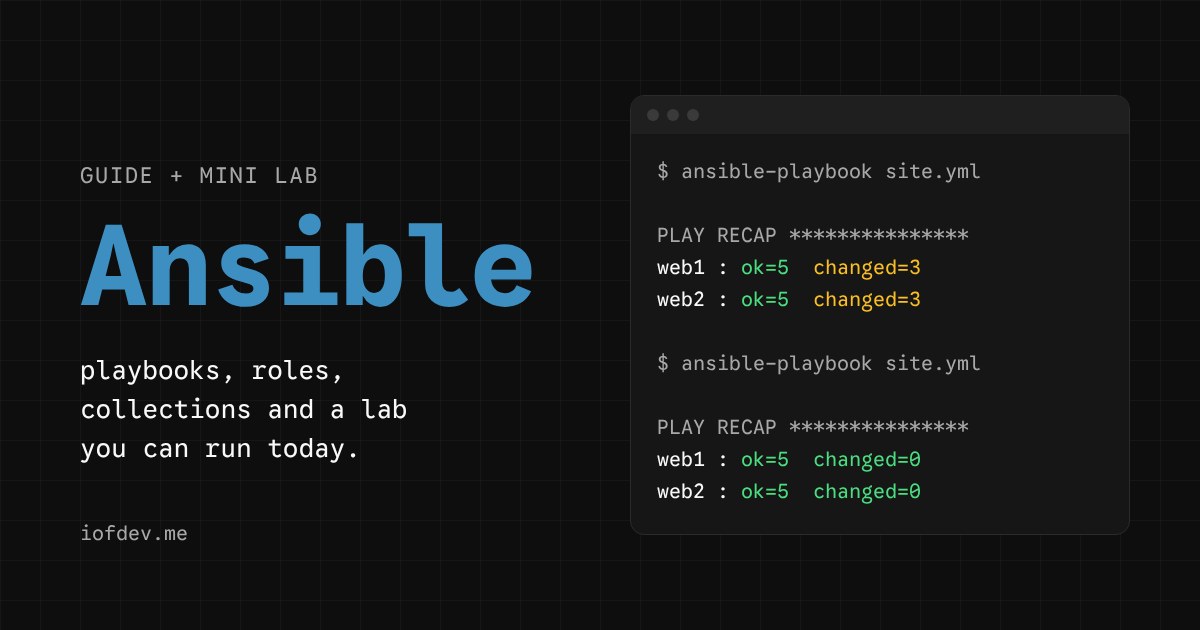
A task does not say “install”. It says “must be installed”. If it already is, Ansible does nothing and reports ok. If it is not, Ansible installs it and reports changed.
That is why the PLAY RECAP at the end of every run works like a report. changed=0 means the machine was already right. Any other number tells you how many things had to change.
Try it below. Run it twice, change the variable, touch the machine by hand and run it again.
Change the variable
Touch the machine by hand
Machine state
$ ansible-playbook site.yml

Press Run the playbook.
Run it twice in a row. Then change the variable, or touch the machine by hand, and run it again.
The concepts
Before each one in detail, a whole playbook. Pick a concept and see where it lives.
---- name: Web servers hosts: web become: true vars: admins: [ana, bruno] tasks: - name: Update the package index ansible.builtin.apt: update_cache: true when: ansible_facts['os_family'] == "Debian" - name: Create the admins ansible.builtin.user: name: "{{ item }}" loop: "{{ admins }}" - name: Publish the configuration ansible.builtin.template: src: lab.conf.j2 dest: /etc/apache2/conf-enabled/zz-lab.conf notify: Reload Apache handlers: - name: Reload Apache ansible.builtin.service: name: apache2 state: reloadedEvery line belongs to at least one concept. Pick one above.
Inventory
The list of machines. Group them by role so you can point a play at web instead of at each server.
[web]
web1.example.com
web2.example.com

[db]
db1.example.com

[switches]
leaf01.internal.com
leaf02.internal.com
There are also YAML inventories and dynamic ones, which ask the cloud which machines exist right now. ansible-inventory --graph shows how Ansible read yours.
Playbook, play and task
A playbook is a YAML file with one or more plays. A play says which hosts it runs on, with which privileges, and which tasks it executes. Each task calls one module. You can have several plays in the same file, for example one for web and another for db.
---
- name: Web servers
  hosts: web
  become: true
  tasks:
    - name: Install Apache
      ansible.builtin.package:
        name: apache2
        state: present
become: true raises privileges, the equivalent of sudo. Tasks run in order, and each one finishes on every host before the next one starts.
Modules
The tools in the toolbox. Each module does one thing, like installing a package, creating a user or copying a file, and takes parameters. They are usually written in Python, or in PowerShell for Windows, but they can be written in any language.
- name: Create a user
  ansible.builtin.user:
    name: roger
    state: present
    create_home: true
The full name, ansible.builtin.user, has three parts. Namespace, collection and module. The ones in ansible.builtin ship with ansible-core. Everything else comes from collections.
The state parameter shows up in almost all of them. The most common values are present, absent, latest, started, stopped and reloaded.
To see the parameters and examples without leaving the terminal, use ansible-doc ansible.builtin.user.
Plugins
Code that extends Ansible’s core. Modules run on the target machine. Plugins run on the control node.
The types you meet most are connection, which decides how to talk to the machine and defaults to SSH, lookup, which reads data from outside, and filter, which transforms values.
- name: Show the admins
  ansible.builtin.debug:
    msg: "{{ admins | join(', ') }}"        # filter
You rarely write a plugin. You use many without noticing.
Facts
Variables Ansible collects from the machine itself at the start of each play. Operating system, memory, network interfaces. You use them like any other variable.
ansible web -m ansible.builtin.setup -a "filter=ansible_distribution*"web1 | SUCCESS => {
"ansible_facts": {
"ansible_distribution": "Ubuntu",
"ansible_distribution_major_version": "24",
"ansible_distribution_release": "noble",
"ansible_distribution_version": "24.04"
}
}The collection is the Gathering Facts step at the start of every run. If the play does not use facts, gather_facts: false saves that time.
Variables and loops
When three tasks differ in only one value, it is a loop.
- name: Make sure the users exist
  ansible.builtin.user:
    name: "{{ item }}"
    state: present
  loop:
    - dev_user
    - qa_user
    - prod_user
The list can come from a variable, with loop: "{{ admins }}", and that is where it pays off. You change the list, not the tasks.
You can define the same variable in several places. The most specific one wins, and -e on the command line always wins.
Conditionals
A task with when only runs if the condition is true. It pairs well with facts.
- name: Update the package index
  ansible.builtin.apt:
    update_cache: true
  when: ansible_facts['os_family'] == "Debian"
On machines where the condition is false, Ansible prints skipping. You can combine conditions with and and or.
Templates
Files with variables, conditions and loops, written in Jinja2. Ansible reads the .j2 file, fills in the values from variables and facts, and copies the result to the machine.
templates/lab.conf.j2
ServerTokens {{ server_tokens }}
ServerSignature Off
- name: Configure Apache
ansible.builtin.template:
src: lab.conf.j2
dest: /etc/apache2/conf-enabled/zz-lab.confThe difference from copy is one thing. copy sends the file as it is. template processes the Jinja2 first. A templates/ folder next to the playbook, or inside a role, is searched automatically.
Handlers
A task that only runs when another task notifies it, and only if that other task changed something. It is for reacting to changes, like reloading a service after touching its configuration.
tasks:
- name: Configure Apache
  ansible.builtin.template:
    src: lab.conf.j2
    dest: /etc/apache2/conf-enabled/zz-lab.conf
notify: Reload Apache
handlers:
- name: Reload Apache
ansible.builtin.service:
name: apache2
state: reloadedIf five tasks notify the same handler, it runs once. It runs at the end of the play. To run it earlier, use ansible.builtin.meta: flush_handlers.
Roles
A role packages tasks, variables, files, templates and handlers into a reusable folder. You write it once and use it across playbooks and teams.
roles/webserver/
├── tasks/main.yml       # the tasks
├── handlers/main.yml    # the handlers
├── templates/           # .j2 files
├── files/               # static files
├── defaults/main.yml    # low-priority variables
├── vars/main.yml        # high-priority variables
├── meta/main.yml        # metadata and dependencies
└── README.md
The playbook that is left stays small.
- name: Web servers
  hosts: web
  become: true
  roles:
    - webserver
Put in defaults/ what the role’s user should be able to change. Put in vars/ what the role needs to keep fixed. ansible-galaxy role init webserver creates the skeleton.
Collections and Galaxy
A collection is the way to organize, distribute and reuse automation content. It groups roles, modules, plugins and playbooks.
├── README.md
├── docs
├── galaxy.yml
├── meta
│   └── runtime.yml
├── plugins
│   └── README.md
└── roles
Ansible Galaxy is the community platform to discover, share and download roles and collections. Automation Hub, which you will see in the next section, plays the part of a private, curated Galaxy.
ansible-galaxy collection install community.general
ansible-galaxy collection list
In a project, list the collections in a requirements.yml and install everything at once with ansible-galaxy collection install -r requirements.yml.
From the command line to the platform
Everything above runs on ansible-core alone, which is free. Red Hat Ansible Automation Platform adds pieces for when a whole team uses the same automation. The open source project behind the controller is called AWX.
| Piece | What it is for |
|---|---|
| Automation controller | Create, manage and schedule automation, with a web UI, API, RBAC and auditing |
| Automation hub | Private content repository, with Red Hat collections, validated ones and certified partner ones |
| Event-Driven Ansible | Automation triggered by events in real time |
| Ansible Lightspeed | AI to generate and refine playbooks |
In the course slides, the certified content added up to more than 170 validated collections and more than 70 technology partners. That is the content Automation Hub distributes.
RBAC
The question is who can use my automation. The controller groups objects and gives users and teams read, execute or edit permissions. There are predefined roles, and it integrates with the authentication your company already has. Here role means permission, and it has nothing to do with automation roles.
Workflows
They chain job templates and decide the next step based on whether the previous one succeeded or failed. A job template is a playbook plus the inventory and credentials it runs with. Workflows accept approvals and integrate with ticketing systems, the ITSMs. They were overhauled in platform version 2.5.
Start ─always─▶ Config backup ─fail────▶ Open ITSM ticket
                      │
                      └─success─▶ Update the application ─success─▶ Config policy
Event-Driven Ansible
It runs automation without anyone pressing a button, when it receives a notification of an event in the environment. A CPU alert, a service that went down, a new ticket.
event source ─▶ rule engine ─match────▶ run_playbook, run_module ─▶ ansible-runner
                     │                 run_job_template ─────────▶ automation controller
                     └─no match─▶ no action
A rulebook ties event sources to conditions and actions. This one listens on a webhook and runs a playbook when a high CPU alert arrives.
---
- name: React to alerts
  hosts: all
  sources:
    - ansible.eda.webhook:
        host: 0.0.0.0
        port: 5000
  rules:
    - name: High CPU
      condition: event.payload.alert == "high_cpu"
      action:
        run_playbook:
          name: scale_up.yml
Without event streams, each alert configuration needed its own webhook and its own port. With event streams, the observability platform sends everything to a single URL and each rulebook activation attaches to the stream it cares about.
Mini lab
Two Ubuntu servers and a control machine, all in containers. You do not install Ansible on your computer. You need Docker with Compose, which comes with Docker Desktop on Mac and Windows.
At the end you have a playbook configuring two Apache servers, and you will have touched almost every concept above.
0. Set up the environment
Create an ansible-lab folder with these four files.
Dockerfile
# Managed node: only SSH and Python. No Ansible installed.
FROM ubuntu:24.04 AS node
RUN apt-get update \
 && apt-get install -y --no-install-recommends openssh-server python3 sudo \
 && rm -rf /var/lib/apt/lists/* \
 && mkdir -p /run/sshd \
 && useradd -m -s /bin/bash ansible \
 && echo "ansible:ansible" | chpasswd \
 && echo "ansible ALL=(ALL) NOPASSWD:ALL" > /etc/sudoers.d/ansible
EXPOSE 22
CMD ["/usr/sbin/sshd", "-D"]

# Control node: Ansible and the SSH client.
FROM ubuntu:24.04 AS control
RUN apt-get update \
 && apt-get install -y --no-install-recommends python3-pip openssh-client sshpass \
 && rm -rf /var/lib/apt/lists/* \
 && pip install --no-cache-dir --break-system-packages ansible-core
ENV ANSIBLE_CONFIG=/lab/ansible.cfg
WORKDIR /lab
CMD ["sleep", "infinity"]
docker-compose.yml
x-node: &node
  build:
    context: .
    target: node
  image: ansible-lab-node

services:
  control:
    build:
      context: .
      target: control
    volumes:
      - .:/lab
  web1:
    <<: *node
    hostname: web1
    ports: ["8081:80"]
  web2:
    <<: *node
    hostname: web2
    ports: ["8082:80"]
ansible.cfg
[defaults]
inventory = inventory.ini
host_key_checking = False
interpreter_python = auto_silent
inventory.ini
[web]
web1
web2

[all:vars]
ansible_user=ansible
ansible_password=ansible
Bring everything up and get into the control machine.
docker compose up -d --build
docker compose exec control bash
The commands in the following steps run inside that shell, unless I say otherwise. You edit the files on your computer, because the folder is shared with the container at /lab.
1. Talk to the machines
An ad-hoc command is one module, once, with no playbook.
ansible all -m ping
ansible web -m ansible.builtin.setup -a "filter=ansible_distribution*"
ansible all -a "uname -sr"
ping is not ICMP. It proves Ansible reached the machine over SSH and found Python. You should see "ping": "pong" for web1 and web2. The second command shows the facts we talked about above.
The third one shows up as CHANGED, even though it only reads a version. That is command marking everything as a change.
2. The first playbook
site.yml
---
- name: Web servers
  hosts: web
  become: true
  tasks:
    - name: Update the package index
      ansible.builtin.apt:
        update_cache: true
        cache_valid_time: 3600

    - name: Install Apache
      ansible.builtin.package:
        name: apache2
        state: present

    - name: Write the home page
      ansible.builtin.copy:
        content: "Hello from {{ inventory_hostname }}\n"
        dest: /var/www/html/index.html
        mode: "0644"

    - name: Start Apache
      ansible.builtin.service:
        name: apache2
        state: started
        enabled: true
Run it twice.
ansible-playbook site.yml
ansible-playbook site.yml
On the first run, the final summary looks like this.
PLAY RECAP *********************************************************
web1  : ok=5  changed=3  unreachable=0  failed=0  skipped=0  rescued=0  ignored=0
web2  : ok=5  changed=3  unreachable=0  failed=0  skipped=0  rescued=0  ignored=0
On the second, changed=0. Open http://localhost:8081 and http://localhost:8082 in the browser. Each server answers with its own name.
The order of the lines between web1 and web2 changes from run to run, because Ansible talks to both at the same time.
3. Variables, loop, conditional, template and handler
Replace site.yml with this version.
site.yml
---
- name: Web servers
  hosts: web
  become: true
  vars:
    server_tokens: Prod
    admins:
      - ana
      - bruno
  tasks:
    - name: Update the package index (Debian and Ubuntu only)
      ansible.builtin.apt:
        update_cache: true
        cache_valid_time: 3600
      when: ansible_facts['os_family'] == "Debian"

    - name: Install Apache
      ansible.builtin.package:
        name: apache2
        state: present

    - name: Create the admin users
      ansible.builtin.user:
        name: "{{ item }}"
        state: present
      loop: "{{ admins }}"

    - name: Publish the home page
      ansible.builtin.template:
        src: index.html.j2
        dest: /var/www/html/index.html
        mode: "0644"

    - name: Configure Apache
      ansible.builtin.template:
        src: lab.conf.j2
        dest: /etc/apache2/conf-enabled/zz-lab.conf
        mode: "0644"
      notify: Reload Apache

    - name: Start Apache
      ansible.builtin.service:
        name: apache2
        state: started
        enabled: true

  handlers:
    - name: Reload Apache
      ansible.builtin.service:
        name: apache2
        state: reloaded
Create a templates/ folder with two files.
templates/index.html.j2
<h1>Hello from {{ inventory_hostname }}</h1>
<p>System: {{ ansible_facts['distribution'] }} {{ ansible_facts['distribution_version'] }}</p>
<p>Admins:</p>
<ul>
{% for admin in admins %}
  <li>{{ admin }}</li>
{% endfor %}
</ul>
templates/lab.conf.j2
# Managed by Ansible. Do not edit by hand.
ServerTokens {{ server_tokens }}
ServerSignature Off
The zz- prefix in the destination makes the file load after Ubuntu’s security.conf, which also sets ServerTokens. Without it, Ubuntu’s value won.
Now the handler experiment.
ansible-playbook site.yml                          # the handler runs, the config is new
ansible-playbook site.yml                          # changed=0, the handler does not show up
ansible-playbook site.yml -e server_tokens=OS      # the config changes, the handler runs
Run this command on your computer after the second run, and again after the third.
curl -sI http://localhost:8081 | grep -i ^serverWith Prod the answer is Server: Apache. With OS it becomes Server: Apache/2.4.58 (Ubuntu). The handler only ran when there was a change.
Finish this step with ansible-playbook site.yml, without the -e, so the machine goes back to the base state.
4. Role and collection
Move everything into a role. These two commands run on your computer, in the ansible-lab folder, not inside the container. On Windows, create the folders and move the templates by hand.
mkdir -p roles/webserver/{tasks,handlers,templates,defaults}
mv templates/* roles/webserver/templates/ && rmdir templates
roles/webserver/defaults/main.yml
---
server_tokens: Prod
admins: []
roles/webserver/handlers/main.yml
---
- name: Reload Apache
  ansible.builtin.service:
    name: apache2
    state: reloaded
roles/webserver/tasks/main.yml
---
- name: Update the package index (Debian and Ubuntu only)
  ansible.builtin.apt:
    update_cache: true
    cache_valid_time: 3600
  when: ansible_facts['os_family'] == "Debian"

- name: Install Apache
  ansible.builtin.package:
    name: apache2
    state: present

- name: Create the admin users
  ansible.builtin.user:
    name: "{{ item }}"
    state: present
  loop: "{{ admins }}"

- name: Publish the home page
  ansible.builtin.template:
    src: index.html.j2
    dest: /var/www/html/index.html
    mode: "0644"

- name: Configure Apache
  ansible.builtin.template:
    src: lab.conf.j2
    dest: /etc/apache2/conf-enabled/zz-lab.conf
    mode: "0644"
  notify: Reload Apache

- name: Record the environment in /etc/lab.ini
  community.general.ini_file:
    path: /etc/lab.ini
    section: lab
    option: environment
    value: dev
    mode: "0644"

- name: Start Apache
  ansible.builtin.service:
    name: apache2
    state: started
    enabled: true
site.yml shrinks.
site.yml
---
- name: Web servers
  hosts: web
  become: true
  vars:
    admins:
      - ana
      - bruno
  roles:
    - webserver
The ini_file task comes from a collection you do not have yet. Run it first without the collection, to see the error.
ansible-playbook site.ymlIt fails with couldn't resolve module/action 'community.general.ini_file'. Now install the collection.
requirements.yml
---
collections:
  - name: community.general
ansible-galaxy collection install -r requirements.yml
ansible-playbook site.ymlThis time only the ini_file task shows up as changed. Everything else was already as requested, because the role produces the same files as the step 3 playbook.
Challenges
- Add a
web3todocker-compose.ymland toinventory.ini, and run the playbook. Does the playbook need any change? - Change one line of the template and run with
--check --diffbefore applying. See what Ansible says it will change. - Create a
commonrole that installscurlandvimwith a loop, and call it in the same playbook.
Clean up
exit
docker compose down -v --rmi all
When something fails
| Symptom | Most likely cause |
|---|---|
couldn't resolve module/action | The collection is not installed, or the module’s full name has a typo |
The requested handler was not found | The name in notify differs from the handler’s name |
UNREACHABLE | Wrong inventory, user, password or SSH key, or a closed port |
Missing sudo password | become: true is missing, or the user has no passwordless sudo |
Everything shows up as changed | You are using command or shell without creates or changed_when |
YAML error near {{ | A value that starts with {{ is unquoted |
ansible.cfg is ignored | The folder is world-writable. Set ANSIBLE_CONFIG to the file’s path |
Commands I use most
| Command | What for |
|---|---|
ansible all -m ping | Test SSH and Python on every machine |
ansible web -m MODULE -a "args" | Run one module once, without a playbook |
ansible-playbook site.yml | Run the playbook |
ansible-playbook site.yml --syntax-check | Validate the structure without touching anything |
ansible-playbook site.yml --check --diff | Simulate and show what would change |
ansible-playbook site.yml --limit web1 | Run on a single host or group |
ansible-playbook site.yml -e var=value | Override a variable |
ansible-playbook site.yml --list-tasks | List the tasks without running them |
ansible-playbook site.yml -vvv | More detail, to debug connections |
ansible-inventory --graph | See the grouped inventory |
ansible-doc ansible.builtin.copy | Module documentation in the terminal |
ansible-galaxy role init NAME | Create a role skeleton |
ansible-galaxy collection install -r requirements.yml | Install the project’s collections |
--check is not perfect. Modules like command and shell are skipped in that mode, because Ansible does not know what they would do.
Where to go next
- Ansible Vault, to keep passwords and tokens encrypted inside the repository.
- Dynamic inventories, to let the cloud say which machines exist.
ansible-lint, which catches bad practices before you run the playbook.- Molecule, to test roles in containers.
The official documentation is at docs.ansible.com and the collections catalog is at galaxy.ansible.com.